

Beginner's Guide to CSS: Learn the Basics
In this article we are going to learn the basic of the CSS. this blog which help you and clear all your confusion about the priority of the css selector.
What is CSS
CSS stands for Cascading Style Sheet. css is used to style the web page and make the page presentable. if you remember the browser example where i told you that HTML is for the structure, now CSS responsibility is to make the page presentable and beautiful to the user.
CSS selector select the tag of the html like <body>, <h1> to <h6>, <span> etc … And provide the instruction to look like on the browser.
Selector are of 3 types are as follows
Element Selector
Element Selector is used to give instruction to all the element of that type.
p { color: blue; }All the
pelement is look like blue color in the browserClass Selector
Class Element is used select only the selective element of the browser
for eg:- all class 10 student are going to give board exam
.highlight { background-color: yellow; }all the html tag which contain this class name
.highlightget the background color yellowID Selector
Id selector is used to select the particular element of the browser whom it contain the id
for eg:- Rahul, you need to learn the CSS
#main-title { font-size: 32px; color: red; }id is provide to the one element in the html code when can’t use the same id or provide the same id to other element.
Before applying the CSS
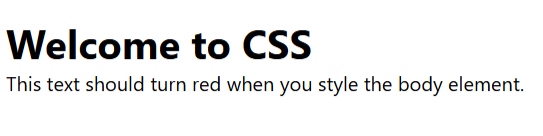
After applying the CSS

Group Selector
this selector is used to select the group of the element at a same time
for eg:- class 10, 11 and 12 are need to present in there respected class
h1, h2, p { color: blue; }
this result in the font color of the h1, h2 and p tag get the blue color.
Descendant Selectors
A descendant selector targets elements inside another element.
for eg: class 10 section A students stand up and rest of the student sit down
div p { color: green; }
Select all <p> elements inside a <div> and provide the green color
Specificity
Css used an powerful algorithm which move from top to bottom for eg element selector has the less priority than the class selector, similarly class selector has the low priority as compare to id selector
ID > Class > Element this is the only key rule to remember for the specificity


