

Flattening Array in javascript
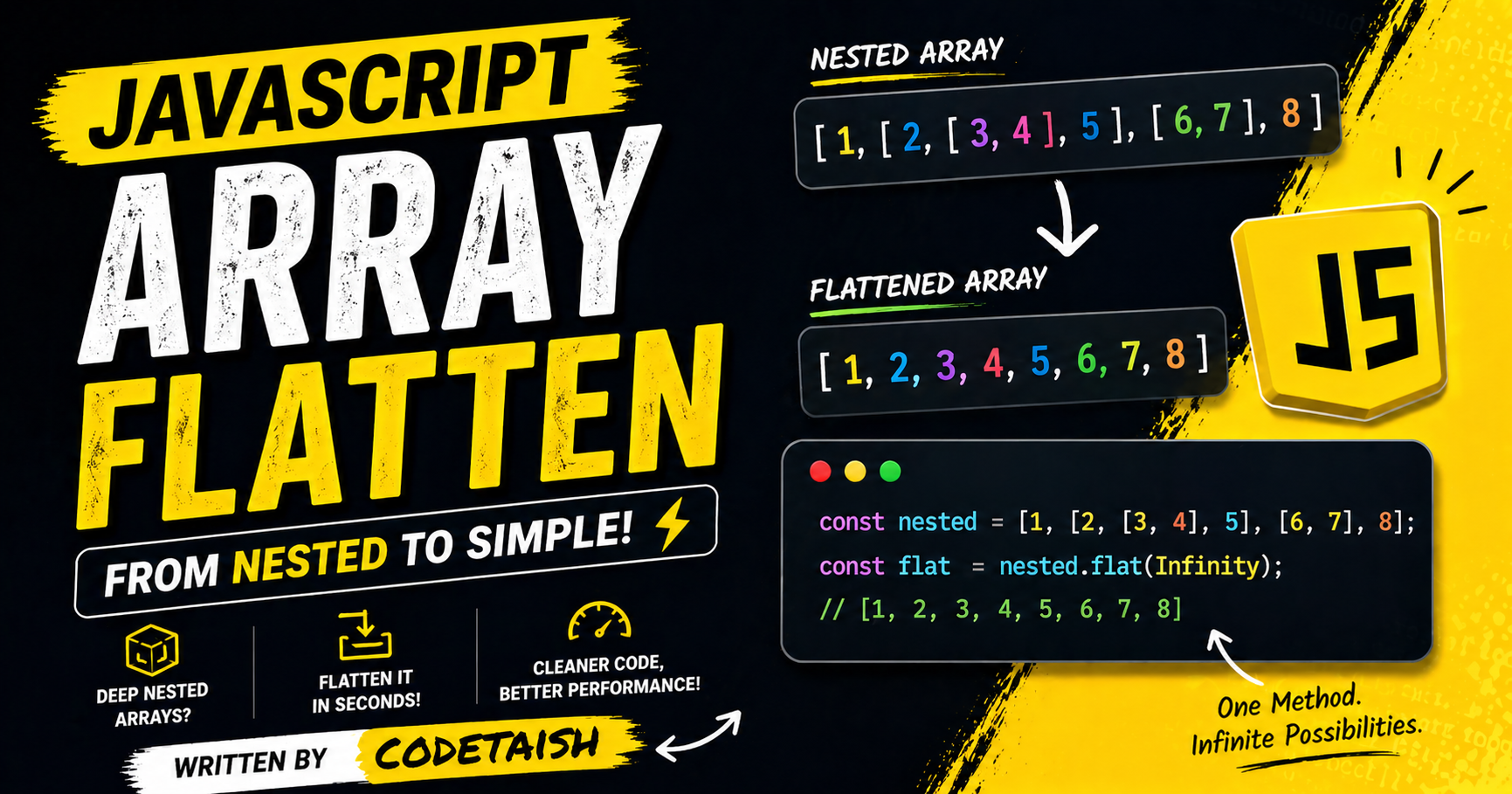
In this article I explain why and how to flatten arrays in JavaScript. Nested arrays—arrays that contain other arrays—are useful for representing multi‑dimensional or hierarchical data (for example, matrices, grids, or nested API responses), but deep nesting can make processing, filtering, and aggregation harder. Flattening converts such structures into a single‑level array (using techniques like Array.prototype.flat(), recursion, or other approaches), which simplifies iteration, normalization, and bulk operations.
Nested arrays are arrays that contain one or more other arrays as their elements, creating a structure where arrays are placed inside other arrays. This concept allows for multi-dimensional data organization, where elements of an outer array can themselves be arrays (inner arrays), enabling the representation of complex data like grids or hierarchical lists.
Key characteristics include:
Definition: An array where elements are arrays themselves, allowing for nesting as deep as needed.
Access: Inner elements are accessed using multiple sets of square brackets corresponding to each nesting level (e.g.,
array[outerIndex][innerIndex]).Flattening: Nested arrays can be converted into a single-level array using methods like
Array.flat()or by converting to a string and splitting.Usage: They are commonly used to represent structured data such as matrices, 2D grids, or hierarchical information in languages like JavaScript, Python, and Solidity.
Array flattening is primarily useful for simplifying complex nested data structures into single-dimensional arrays, making them easier to process, filter, and aggregate. In real-world scenarios, this is essential for handling recursive component structures, processing nested API responses, and normalizing data for bulk operations or database insertion.
Key benefits include:
Simplified Iteration: Converting hierarchical data (like nested comments or folder structures) into a flat list allows for straightforward looping and sorting.
Data Transformation: It streamlines tasks such as extracting specific values (e.g., collecting all skills from a list of users) or combining multiple data sources into one unified array.
Performance: Flattening enables efficient bulk processing like summing numbers, searching, or validating form fields without needing to traverse multiple levels of nesting manually.
Common use cases involve API response handling, where server data often arrives in nested formats, and UI rendering, where a flat list is required to display items uniformly.
Array flattening in JavaScript is the process of converting a multi-dimensional or nested array into a single one-dimensional array, simplifying data structures for easier manipulation and processing. This is particularly useful when handling recursive component structures, processing nested API responses, or performing operations like filtering and searching on complex data.
The most efficient modern approach is using the built-in Array.prototype.flat() method, introduced in ES2019. By default, flat() removes one level of nesting, but it accepts an optional depth parameter to control how deep the flattening goes:
arr.flat()orarr.flat(1)flattens only the first level.arr.flat(2)flattens up to two levels deep.arr.flat(Infinity)recursively flattens the array to any depth.
const nested = [1, 2, [3, 4, [5, 6]]];
console.log(nested.flat());        // [1, 2, 3, 4, [5, 6]]
console.log(nested.flat(2));       // [1, 2, 3, 4, 5, 6]
console.log(nested.flat(Infinity));// [1, 2, 3, 4, 5, 6]
For scenarios requiring custom logic or compatibility with older environments, alternative methods include:
Recursion: Writing a function to traverse arrays and concatenate elements, which is effective for deeply nested structures but requires careful handling to avoid stack overflows.
concat.apply(): Using[].concat.apply([], array)to merge sub-arrays, though this is generally limited to shallow flattening.flatMap(): Combiningmap()andflat()into a single operation, which is slightly more optimized for transforming and flattening data simultaneously.Spread Operator: Using
[...array]for simple, shallow concatenation of sub-arrays.
The flat() method creates a shallow copy of the array and automatically removes empty slots if the array is sparse. It is a generic method that works on any object with a length property and integer-keyed properties, provided the elements are arrays.
The most efficient and modern approach is using the Array.prototype.flat() method, which defaults to flattening one level but can accept a depth parameter or Infinity to flatten deeply nested arrays completely. For environments without this method or when custom logic is needed, recursive functions and iterative stack-based solutions are common alternatives that handle arbitrary nesting depths without relying on built-in methods.
Other viable techniques include using the reduce() method combined with concat() for a functional approach, the spread operator with concat() for simple one-level flattening, and the flatMap() method which combines mapping and flattening in a single step.
Method Comparison
Method | Depth Control | Best Use Case |
| Yes (number or | Modern browsers; concise and optimized for standard cases. |
Recursion | Yes (via depth parameter) | Custom logic; handles deep nesting but risks stack overflow on very large arrays. |
Stack (Iterative) | No (fully flattens) | Large datasets; avoids stack overflow errors by using a loop instead of recursion. |
| Yes (via recursion) | Functional style; powerful for complex transformations during flattening. |
Spread/Concat | No (one level only) | Simple arrays; quick solution for two-dimensional arrays without deep nesting. |
Implementation Examples
const nested = [1, [2, [3, 4], 5], 6];

// 1. Using flat() (Modern)
console.log(nested.flat(Infinity)); // [1, 2, 3, 4, 5, 6]

// 2. Using Recursion
function flattenRecursive(arr, depth = 1) {
  if (depth < 1) return arr.slice();
  return arr.reduce((acc, val) => {
    if (Array.isArray(val)) {
      acc.push(...flattenRecursive(val, depth - 1));
    } else {
      acc.push(val);
    }
    return acc;
  }, []);
}
console.log(flattenRecursive(nested, Infinity));

// 3. Using Stack (Iterative)
function flattenStack(arr) {
  const stack = [...arr];
  const result = [];
  while (stack.length) {
    const next = stack.pop();
    if (Array.isArray(next)) {
      stack.push(...next);
    } else {
      result.push(next);
    }
  }
  return result.reverse();
}
console.log(flattenStack(nested));

// 4. Using reduce() with recursion
const flattenReduce = (arr) =>
  arr.reduce((acc, val) =>
    Array.isArray(val) ? acc.concat(flattenReduce(val)) : acc.concat(val), []);
console.log(flattenReduce(nested));
Flattening a nested array is a frequent JavaScript interview question that tests a candidate's ability to handle recursion, array manipulation, and problem-solving optimization. Interviewers typically expect candidates to manually implement the solution without relying on the native .flat() method, although knowing the native syntax (arr.flat(Infinity)) is valuable for context.
Key scenarios and approaches often discussed include:
Recursive Implementation: Using a recursive function to traverse nested arrays, checking each element with
Array.isArray()and concatenating results, which is intuitive but risks stack overflow on extremely deep arrays.Iterative Approaches: Utilizing loops with a stack (e.g.,
shift()andunshift()) orreduce()withconcat()to flatten arrays without recursion, ensuring better memory safety for large inputs.In-Place Mutation: Implementing a solution that modifies the original array (e.g., using
splice()) to achieve O(1) space complexity, though this is less common than returning a new array.Edge Case Handling: Addressing specific constraints such as skipping empty slots, handling non-array values (like strings or objects) within the array, and managing infinite depth nesting.
Advanced Variations: Questions may ask to implement a custom
flat(depth)function with a parameter to control nesting levels, or to extend theArray.prototypeto add a custom flatten method.
Summary
This post explains why and how to flatten arrays in JavaScript and when it’s useful.
Problem and purpose: Deeply nested arrays (e.g., matrices, grids, nested API responses) make processing, filtering, and aggregation harder; flattening converts them into a single-level array for easier iteration and normalization.
Definition: Nested arrays are arrays whose elements can themselves be arrays, accessed via multiple bracket levels (e.g.,
arr[0][1]).Common methods to flatten:
Array.prototype.flat(depth)— built-in, specifydepthor useInfinityfor deep flattening.Recursive function — robust for custom behavior and back-compatibility.
Array.prototype.reduce+concator spread (...) — idiomatic alternatives.Utility libraries like
_.flatten/_.flattenDeep(Lodash).(Mentioned but discouraged) converting to string and splitting — brittle and lossy for non-primitive values.
Benefits: simpler iteration, easier filtering/aggregation, normalization for downstream processing or APIs.
Caveats and tips:
flat()requires modern environments or polyfills; prefer recursion or utilities for deep or complex structures; avoid stringify-based hacks because they change types and lose structure; consider performance and memory for very large arrays.


