

How DNS Works: A Simple Explanation
In this article we are going to unfold the internal working of the browser, who browser open any website magical.
Problem Statement
But the question is still remain same how browser got know that is the correct or associate ip address for this domain name
Working Steps
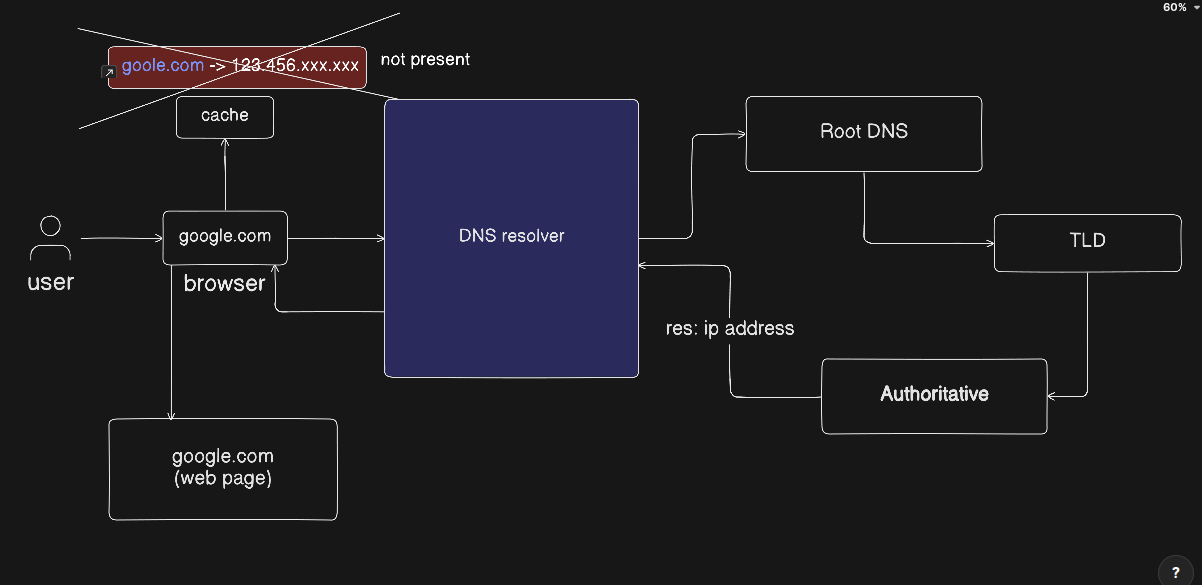
All the story start from the user, DNS step are as follows
Step 0:- user enter the url of google.com or any website which is publicly available by the internet service provider.
Step 1:- browser search the url in the internal cache of the browser. If browser doesnot find it inside the cache it goes to next step
step 2:- DNS query Resolver server which recursively tries to solve the query of the browser.
Step 3:- the query move to Root DNS server which redirect this query to the DNS TLD (Top Level Domain)server according to the nearest server located for that url. In the entire world there are only 13 root dns server available up and running all the time.
step 4:- Top Level Domain is the external part of the query like .com, .org, .in etc… the result of the top level domain is always an Authoritative Record.
Step 5: Query goes to it Authoritative server which contain the ip address for the website and browser will redirect user to the web page of the website and also store the ip address in the cache.
Practical Demonstration with Dig command
Dig command is actual going to demonstrate how DNS is actually execute inside the browser. dig command stands for Domain Information Groper. It retrieves information about DNS name servers. Network administrators use it to verify and troubleshoot DNS problems and perform DNS lookups.
command 1
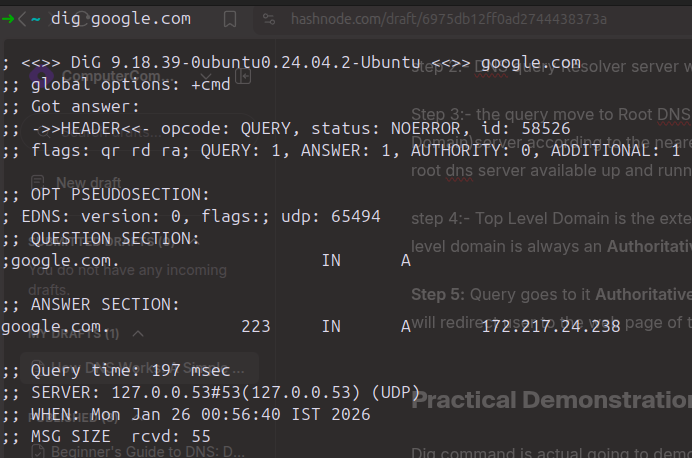
dig example.com give you A record of the website.
Command 2
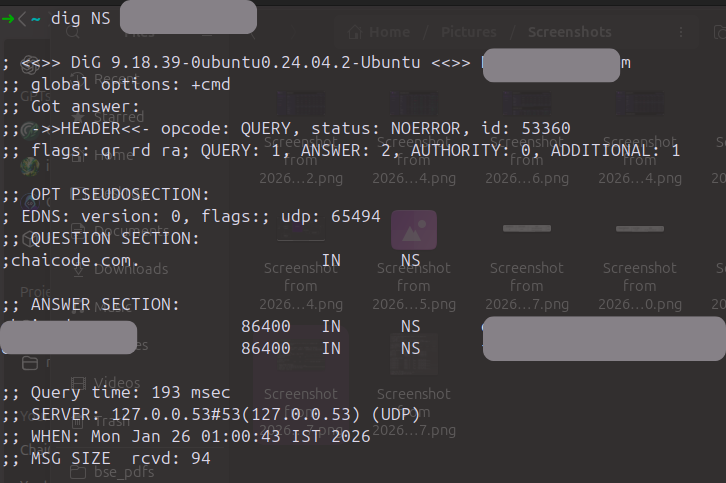
the result of this command is the possible nameserver that you can find the ip address of the example.com
command 3
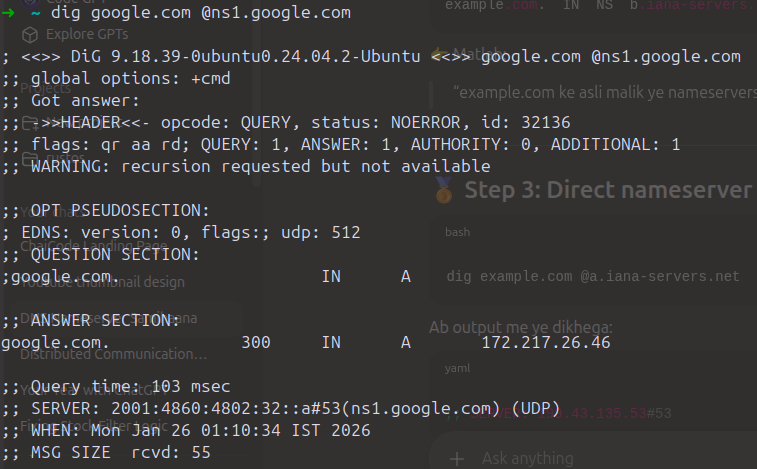
this command result the actual ip address of the example.com. In this command this first is example.com and the second line is an nameserver which i get from the command 2.
Summary
Now, this practical demonstration clear how the dns work internal and how browser get the ip address of any website


