

Insight of .git folder
All the magic of the git is handle by this folder. All the logs, changes, history, branches etc are found here.
In my previous blog i walkthrough with the basic command and the power of the git but in this blog we are getting dived into the real picture of the git and the behind the seen of the git. how git track the changes, log and many more.
Initialization
we all know one we initialized the codebase with the git init command. At the time of we enter this command and enter this command from that point of time git automatically create a folder .git folder into our codebase.
It is hidden but it is always there in the our codebase directory. At that point of time our git start magic and track all the change in our codebase.
Big Picture of .git folder
Behind the seen git does not done anything magically instead git read this folder and based on this folder git tell what we is going on codebase changes, which piece of code change done by which developer in the contribution
Inside git folder there is a file called HEAD. Which is responsible for the where are u currently in the time line. This HEAD file read a folder which is ref folder.
what if we try to read HEAD file.
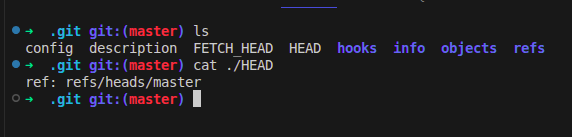
As a result we clearly see that it is refs to the ref directory. Now, let explore what is inside this refs folder
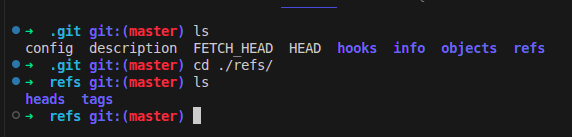
in the refs folder we can see that HEAD is look for the heads from this directory. let move what is inside this heads
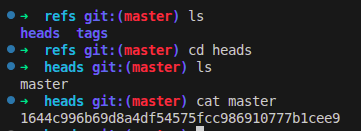
okay, the heads contain a file which is same as the branch name and the branch is a file in the form of hash file.
Now, we got the behind the seen magic of the git. But wait what is the role of other folder and file like objects, config etc..

The objects folder contain some folder. But the question is what all this folder about and what is the role of this folder. well, at this point i want to draw your attention to a particular folder which is 16 what is the reason why this folder. In the last picture where i read(cat) the master file. And it is start with something like 1644c and soon . But what is this hash mean and what is inside this 16 folder inside the objects folder.


what these images are about to. This explain the insight of the git objects. which 1644c hash contain all the node of the tree at where we are. but for now this is the first commit that why it does not show the previous parent node. In general it also show the hash for the previous node as well.
it also contain the author and committer along with the commit message that you write during git commit command


