

Linux Under the Hood: A Deep Filesystem Investigation
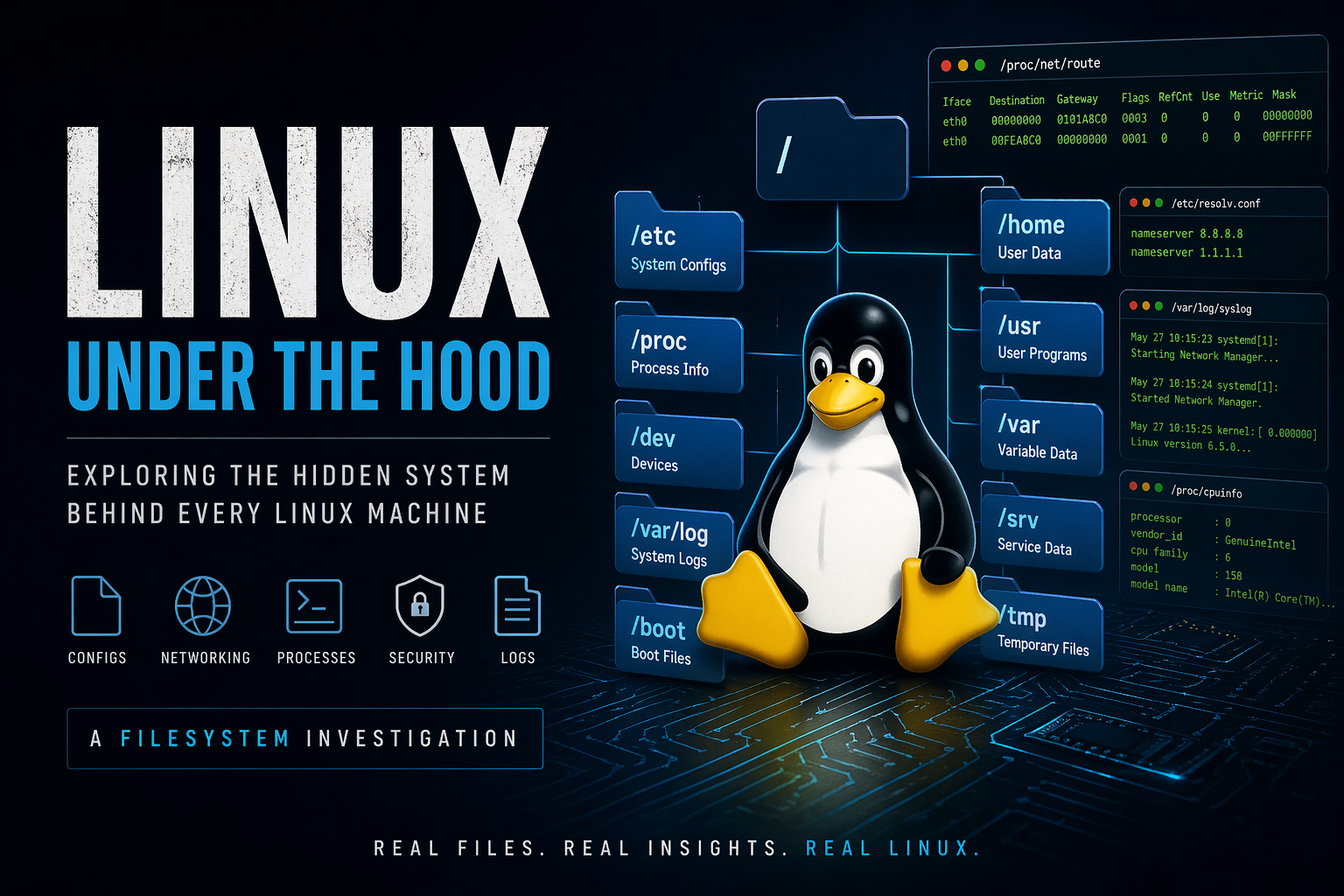
I remember the first time I ran cat /proc/cpuinfo and actual CPU information just... appeared in my terminal. No special tool. No API call. Just a file. I sat there for a moment thinking — wait, is the kernel literally writing my hardware specs into a text file in real time?
Yes. It is. And that moment broke my brain in the best possible way.
This guide is that moment, stretched across the entire Linux filesystem. We're not just going to list directories — we're going to understand why they exist, what problem they solve, and how to actually poke around inside them.
Chapter 0: set terminal fire up and versioning checking
# Check your distro first — context matters
cat /etc/os-release

# Output example:
NAME="Linux Mint"
VERSION="22.3 (Zena)"
ID=linuxmint
ID_LIKE="ubuntu debian"
PRETTY_NAME="Linux Mint 22.3"
VERSION_ID="22.3"
HOME_URL="https://www.linuxmint.com/"
SUPPORT_URL="https://forums.linuxmint.com/"
BUG_REPORT_URL="http://linuxmint-troubleshooting-guide.readthedocs.io/en/latest/"
PRIVACY_POLICY_URL="https://www.linuxmint.com/"
VERSION_CODENAME=zena
UBUNTU_CODENAME=noble

whoami

# output
codetanish
Interesting Fact #1 — Linux Is Everywhere, Literally
Linux runs on more than 96% of the world's top one million web servers. It powers the International Space Station, the Large Hadron Collider, most of the world's stock exchanges, and every single Android phone on the planet. When you use an ATM, there's a reasonable chance Linux is processing your transaction. The OS you're learning right now quietly runs the world.
Chapter 1: /etc — The Brain of Your System
The Big Picture
Here's a mental model that helped me: imagine you're building software and instead of hardcoding every setting into your binary, you put all the settings in a config folder. Now anyone can change behavior without touching the code.
That's /etc. For the entire operating system.
The name itself is old Unix history — it originally stood for "etcetera" because it was literally the place for files that didn't fit elsewhere. But today, /etc is anything but leftover. It's the control center.
# Just look at how much lives here
ls /etc

# Count the files and directories
ls /etc | wc -l

# Get a feel for the structure
ls -la /etc | head -30
When I first ran ls /etc I was overwhelmed. There were over 150 entries. But once you know what each cluster does, it stops being noise and starts being a map.
# Some of the most important files at a glance
ls /etc/hosts          # local DNS overrides
ls /etc/hostname       # your machine's name
ls /etc/fstab          # filesystem mount rules
ls /etc/crontab        # scheduled tasks
ls /etc/shells         # available shells
The Insight That Changed Things For Me
Before I understood /etc, I thought Linux configuration was scattered and chaotic. After spending time here, I realized it's almost the opposite — there's a clear philosophy. Behavior lives in text files. You can read it, edit it, version control it, copy it to another machine. The operating system is auditable by design.
Interesting Fact #2 — The Name "Linux" Was Almost "Freax"
Linus Torvalds originally wanted to call his kernel "Freax" — a combination of "free," "freak," and "Unix." He thought "Linux" (his name + Unix) was too egotistical. His friend Ari Lemmke, who hosted the files on an FTP server in 1991, disagreed and just named the directory "linux" without asking. The name stuck. The world was spared from typing
freax --version.
Chapter 2: DNS Resolution — /etc/resolv.conf
What's Actually Happening When You Type a URL
When you type google.com into your browser, your computer has absolutely no idea where that is. It needs to ask someone. /etc/resolv.conf tells it who to ask.
# See your current DNS configuration
cat /etc/resolv.conf

# Output example:
# nameserver 127.0.0.53
# options edns0 trust-ad
# search lan
# Test if DNS is actually working
nslookup google.com

# Or more modern:
dig google.com

# Quick one-liner to see what DNS server you're using:
dig google.com | grep "SERVER:"
The Twist That Surprises Most People
On modern Ubuntu/Debian systems, /etc/resolv.conf is actually a symlink — not a real file. Let me show you:
# Is resolv.conf actually a real file?
ls -la /etc/resolv.conf

# Output on Ubuntu:
# lrwxrwxrwx 1 root root 39 Jan 30 13:37 /etc/resolv.conf -> ../run/systemd/resolve/stub-resolv.conf
It points to a file managed by systemd-resolved, a service that handles DNS. This means your network manager — not you — controls DNS resolution. The file you think you can edit is actually getting overwritten regularly.
Interesting Fact #3 — The /etc/hosts File Is Older Than the Internet
The
/etc/hostsfile predates DNS entirely. In the early ARPANET days (1970s), there was literally one file calledHOSTS.TXTmaintained by the Stanford Research Institute. Every computer on the network downloaded it periodically to know who was who. DNS was only invented in 1983 because the hosts file was getting too big to manage. Your/etc/hostsis a living fossil from the dawn of networked computing.
Chapter 3: User Identity — /etc/passwd and /etc/shadow
A Story About a Security Mistake
In the early days of Unix, passwords were stored in /etc/passwd. That file needed to be readable by everyone because programs constantly look up usernames. So passwords were readable by everyone. This seems obviously terrible now, but hindsight is easy.
The fix was elegant: split the file. Keep the readable stuff in /etc/passwd, move the sensitive stuff into /etc/shadow with restricted permissions.
# Look at passwd — anyone can read this
cat /etc/passwd
grep "$(whoami)" /etc/passwd
# Output example:
# codetanish:x:1000:1000:codetanish,,,:/home/codetanish:/bin/zsh
codetanish     → username
x              → password placeholder (real one is in /shadow)
1000           → user ID (UID)
1000           → group ID (GID)
Sarah Connor   → display name / comment
/home/sarah    → home directory
/bin/bash      → default shell
Interesting Fact #4 — UID 0 Is Magic
On Linux, what makes someone "root" isn't the name "root" — it's the UID of 0. You could rename the root user to anything and it would still have full system control. You could create a second user called "banana" with UID 0 and it would also be root with complete power. The number is what matters. The name is just a label for humans. Try:
grep ":0:" /etc/passwd— anything with UID 0 is effectively root
Chapter 4: Processes as Files — /proc
This One Genuinely Blew My Mind
/proc is where Linux gets philosophical. It's not a real directory on disk. It's generated by the kernel in real time, in RAM, every time you look at it. And it exposes the complete internal state of every running process as readable files.
# First, appreciate the scale
ls /proc

# You'll see numbers — those are process IDs (PIDs)
# And some named files — those are system-wide info

# What's your shell's PID?
echo $$

# Now look inside that process
ls /proc/$$

# Output (abbreviated):
# attr  cmdline  cwd  environ  exe  fd  maps  mem  net  stat  status
This is live kernel configuration. No reboot. No recompile. Just write to a file.
Interesting Fact #5 — /proc Has No Size, But It Has Content
If you run
du -sh /proc, you'll get 0 bytes or a tiny number. That's because/prochas no data on disk — it's entirely fabricated by the kernel in memory at the moment you read it. When you open/proc/cpuinfo, the kernel dynamically generates that text on demand, right then. It's like asking a question and the OS composing the answer in real time. There's no file. There never was.
Chapter 5: Devices as Files — /dev
Hardware Is Just Files Here
The /dev directory is where Linux makes good on its promise that "everything is a file." Your hard drive, your keyboard, your mouse, random number generators — all files.
# Look at /dev
ls /dev

# It's overwhelming at first. Let's focus.
ls /dev/sd*     # SCSI/SATA disks (or might be nvme*)
ls /dev/nvme*   # NVMe drives (common on modern systems)
ls /dev/tty*    # Terminal devices
ls /dev/null    # The data sink
ls /dev/zero    # Endless zeros
ls /dev/random  # Entropy pool
ls /dev/urandom # Non-blocking entropy
Interesting Fact #6 — /dev/null Has a Nickname, and It's Perfect
Among Unix old-timers,
/dev/nullis affectionately called the "bit bucket" — a place where bits go and never return. But here's the beautiful part: it's not just a convention or a special case. It's a genuine character device (major number 1, minor number 3) that the kernel handles by simply discarding all writes and returning EOF on reads. It's elegance implemented at the kernel level. Some people have even used it in art installations as a metaphor for the void.
Chapter 6: Boot Mechanics — /boot
The Few Seconds Before Linux Exists
Something has to happen before Linux can run. Your firmware (BIOS/UEFI) runs first, finds a bootloader, the bootloader loads a kernel, the kernel takes over. /boot is where the kernel lives.
# What's in /boot?
ls -lh /boot

# Output example:
#-rw-r--r-- 1 root root 290K Nov 20 14:06 config-6.14.0-37-generic
#-rw-r--r-- 1 root root 296K Jan 15 19:14 config-6.17.0-14-generic
#-rw-r--r-- 1 root root 296K Mar  7 02:46 config-6.17.0-19-generic
#drwx------ 3 root root 4.0K Jan  1  1970 efi
#drwxr-xr-x 5 root root 4.0K Jan 30 13:39 grub
-rw-r--r-- 1 root root  81M Mar 29 11:51 initrd.img-6.14.0-37-generic
#lrwxrwxrwx 1 root root   28 Apr 14 21:31 initrd.img.old -> initrd.img-6.17.0-14-generic
#-rw------- 1 root root 8.8M Nov 20 14:06 System.map-6.14.0-37-generic
#-rw------- 1 root root  10M Jan 15 19:14 System.map-6.17.0-14-generic
#-rw------- 1 root root  10M Mar  7 02:46 System.map-6.17.0-19-generic
#lrwxrwxrwx 1 root root   25 Mar 18 21:59 vmlinuz -> vmlinuz-6.17.0-19-generic
#-rw-r--r-- 1 root root  15M Jan 30 18:34 vmlinuz-6.14.0-37-generic
#-rw------- 1 root root  16M Jan 15 19:50 vmlinuz-6.17.0-14-generic
#-rw------- 1 root root  16M Mar  7 02:48 vmlinuz-6.17.0-19-generic
#lrwxrwxrwx 1 root root   25 Mar 18 21:59 vmlinuz.old -> vmlinuz-6.17.0-14-generic

uname -r

# Output example:
# 6.14.0-37-generic

# Full kernel info
uname -a

#Linux codetanish-windows 6.14.0-37-generic #37~24.04.1-Ubuntu SMP PREEMPT_DYNAMIC Thu Nov 20 10:25:38 UTC 2 x86_64 x86_64 x86_64 GNU/Linux


# The kernel file you're running is:
ls -lh /boot/vmlinuz-$(uname -r)
The insight here is that "updating Linux" is more nuanced than it sounds. You're often just adding a new kernel to the menu, not replacing the old one. The old kernel sits in /boot until you explicitly remove it. This is why you can boot into an old kernel if a new one causes problems.
Interesting Fact #7 — The Linux Kernel Is Written by Thousands of Strangers
The Linux kernel has over 30 million lines of code and is maintained by thousands of contributors from hundreds of companies worldwide — including, somewhat ironically, Microsoft, which is now one of the top contributors. The kernel receives roughly 8–10 patches per hour, every hour, every day of the year. It's arguably the largest collaborative engineering project in human history, and it started as one Finnish student's hobby project in 1991.
Chapter 7: System Logs — /var/log
The System Tells the Truth Here
I've lost count of how many times a problem seemed mysterious until I looked in /var/log. Logs don't lie. Commands can mislead, documentation can be wrong, but logs record what actually happened.
# What's available?
ls /var/log

# Key files to know:
# syslog or messages  → general system log
# auth.log            → authentication events
# kern.log            → kernel messages
# dmesg               → boot/hardware messages
# apt/                → package manager logs (Debian/Ubuntu)
# nginx/ or apache2/  → web server logs
# journal/            → systemd journal data
Interesting Fact #8 — Public Servers Get Attacked Within Minutes of Going Online
If you run
sudo grep "Failed password" /var/log/auth.log | wc -lon a public-facing Linux server, don't be shocked if the number is in the thousands or even millions. Security researchers have measured that a new server with SSH exposed to the internet receives its first automated attack attempt within 5 minutes of going online — sometimes within seconds. These are bots constantly scanning the entire IPv4 address space. Your auth.log is a real-time record of that ongoing battle.
Chapter 8: Networking Internals — /proc/net
The Network Stack Is Just Files
# Networking information lives here
ls /proc/net

# A partial output:
# arp  dev  fib_trie  if_inet6  ipv6_route  route
# snmp  sockstat  tcp  tcp6  udp  udp6  unix
# Network interfaces and their statistics
cat /proc/net/dev

# Output:
# Inter-|   Receive                                               |  Transmit
#  face |bytes  packets errs drop fifo frame compressed multicast|bytes  packets

# More readable:
ip addr show
ip link show

# Network statistics (errors, drops — useful for diagnosing problems)
cat /proc/net/dev | column -t
Interesting Fact #9 — lo Is Talking to Itself, and That's Intentional
Run
ip addr show loand you'll see the loopback interface with the address127.0.0.1. This interface doesn't represent any physical hardware — it's entirely virtual. When your app connects tolocalhost, packets travel through the full TCP/IP stack, get "sent," and immediately arrive back at the same machine without ever touching a network cable or Wi-Fi antenna. It's a computer having a conversation with itself. And it's used billions of times per day for inter-process communication.
Chapter 9: System Services — /etc/systemd
Services Are Just Config Files
This clicked for me when I realized that starting a service and running a command aren't fundamentally different — systemd just manages the process lifecycle for you based on a config file.
# Where service definitions live
ls /etc/systemd/
ls /etc/systemd/system/

# The system-provided defaults (don't edit these directly)
ls /lib/systemd/system/ | head -20

# Active services right now
systemctl list-units --type=service --state=active

# All services, including inactive
systemctl list-units --type=service --all

# What's enabled to start on boot?
systemctl list-unit-files --type=service | grep enabled
Interesting Fact #10 — Systemd Is More Controversial Than Most Political Topics in Tech
When systemd replaced traditional init systems around 2011–2015, it caused one of the most heated debates in open source history. Developers wrote lengthy manifestos against it. Some Linux distributions forked specifically to avoid it. Veteran Unix administrators called it "bloat" and a violation of the Unix philosophy of "do one thing well." Supporters called it a necessary modernization. The debate still simmers today. The service file you just created? It's the center of a decade-long religious war.
Chapter 10: Environment Behavior — Variables and Shell Configs
The Invisible Configuration Layer
Environment variables are the unsung heroes of Linux configuration. Every program you run inherits them. They define where to find executables, what language to use, who you are, where your home is.
# See ALL environment variables in your current shell
env
printenv

# Count them
env | wc -l

# The most important ones
echo $PATH      # where the shell looks for commands
echo $HOME      # your home directory
echo $USER      # your username
echo $SHELL     # your default shell
echo $EDITOR    # your default text editor
echo $LANG      # your language/locale setting
echo $PWD       # current directory
echo $TERM      # terminal type
# How PATH works — this is fundamental
echo $PATH
# Output: /usr/local/sbin:/usr/local/bin:/usr/sbin:/usr/bin:/sbin:/bin

# When you type 'ls', the shell searches each directory in order
which ls        # /usr/bin/ls
type ls         # ls is /usr/bin/ls

# If you have two programs named the same thing:
which python3   # shows which one wins

# You can temporarily override:
PATH="/my/custom/bin:$PATH"  # search my bin first
# Or remove from PATH:
PATH=\((echo \)PATH | tr ':' '\n' | grep -v "something" | tr '\n' ':')
Interesting Fact #11 — The Shell Reads Config Files in a Surprisingly Complicated Order
Here's something that trips up even experienced Linux users: bash reads different files depending on how it was started. Login shell? Reads
~/.bash_profile. Interactive non-login shell? Reads~/.bashrc. Non-interactive script? Reads neither. This is why adding something to~/.bashrcsometimes seems to have no effect — you're running a login shell. The fix is usually sourcing one from the other, which is why you'll often see[ -f ~/.bashrc ] && . ~/.bashrcinside~/.bash_profile. It's practical workaround made into convention.
Bonus Chapter: The Weird, Wonderful Corners
No guide about Linux would be complete without the genuinely strange stuff.
/sys — The Other Virtual Filesystem
# /sys is like /proc but organized differently
# It exposes kernel objects as a directory hierarchy
ls /sys

# Battery information on laptops
cat /sys/class/power_supply/BAT0/capacity 2>/dev/null
cat /sys/class/power_supply/BAT0/status 2>/dev/null

# CPU temperature (if available)
cat /sys/class/thermal/thermal_zone0/temp
# Divide by 1000 for Celsius

# Screen brightness (on laptops)
cat /sys/class/backlight/*/brightness 2>/dev/null
cat /sys/class/backlight/*/max_brightness 2>/dev/null

# Even change brightness by writing to a file:
# echo 500 | sudo tee /sys/class/backlight/intel_backlight/brightness

# tmpfs — filesystems that live entirely in RAM
# Check what's mounted as tmpfs
df -t tmpfs

# /tmp is often tmpfs — it disappears on reboot
mount | grep tmpfs

# Create a RAM disk manually (for performance testing)
# sudo mount -t tmpfs -o size=512M tmpfs /mnt/ramdisk
# Anything written here is incredibly fast — and gone on reboot

# The magic number database — how 'file' identifies file types
cat /usr/share/misc/magic 2>/dev/null | head -50
# or
file /usr/share/file/magic 2>/dev/null

# Test it — 'file' uses this to identify what any file IS
file /bin/bash          # ELF 64-bit LSB pie executable
file /etc/passwd        # ASCII text
file /boot/vmlinuz*     # Linux kernel boot executable

# The system's random seed
# (used to initialize entropy on boot)
ls -la /var/lib/systemd/random-seed

# Capabilities — a more fine-grained alternative to setuid
getcap /usr/bin/ping    # ping can open raw sockets without being root
Interesting Fact #12 — Linux Has a Built-in Cow
Run this on any Linux system with
apt:Bashapt-get mooYou'll see an ASCII cow. This is a genuine Easter egg built into the package manager. The
cowsayprogram (a separate install) has been part of Linux culture since 1999. Many sysadmins pipe fortune cookies through cowsay in their MOTD. In a world of enterprise software and serious security concerns, someone took the time to hide a cow in the package manager. That's the spirit of Linux.
Quick Reference Card
Save this. You'll use it constantly.
# SYSTEM IDENTITY
uname -a                         # kernel version
cat /etc/os-release              # distro info
hostname                         # machine name
uptime                           # uptime and load
who && w                         # who's logged in

# RESOURCES
free -h                          # RAM usage
df -h                            # disk usage
cat /proc/loadavg                # system load
top / htop                       # live process view
cat /proc/meminfo                # detailed memory

# PROCESSES
ps aux                           # all processes
ps aux | grep processname        # find a process
pgrep processname                # get PID
kill -9 PID                      # force kill
ls /proc/PID/                    # explore process internals

# NETWORKING
ip addr show                     # IP addresses
ip route show                    # routing table
ss -tunlp                        # open connections/ports
cat /etc/resolv.conf             # DNS config
cat /etc/hosts                   # local DNS overrides

# SERVICES
systemctl status service         # service status
systemctl list-units --type=service  # all services
journalctl -u service -f         # follow service logs
journalctl -b                    # this boot's logs

# USERS
cat /etc/passwd                  # user list
id username                      # user details
last                             # login history
sudo cat /etc/shadow             # password hashes (hashed!)

# LOGS
journalctl -f                    # live system log
dmesg -T | tail -20              # kernel messages
sudo tail -f /var/log/auth.log   # auth events
journalctl -p err                # errors only

# DEVICES
lsblk -f                         # block devices
ls /dev/sd* /dev/nvme*           # disk devices
dmesg | tail -20                 # recent hardware events

# FUN / FACTS
apt-get moo                      # the cow
cat /proc/cpuinfo                # your CPU described in text
cat /proc/self/status            # THIS process's own status
ls -la /proc/self                # a process looking at itself
The Interesting Facts — All 12, Collected
In case you want them in one place:
| # | Fact |
|---|---|
| 1 | Linux runs 96%+ of top web servers, the ISS, and every Android phone |
| 2 | Linux was almost called "Freax" — a friend renamed it without asking |
| 3 | /etc/hosts predates DNS — it used to be one file for the whole internet |
| 4 | Root isn't the name — it's UID 0. The name is just a label |
| 5 | /proc has no data on disk — the kernel generates it live on every read |
| 6 | /dev/null is called the "bit bucket" and is a real kernel-level device |
| 7 | The kernel has 30M+ lines of code and gets ~8 patches per hour |
| 8 | Public servers get their first attack attempt within minutes of going online |
| 9 | lo (loopback) is a computer talking to itself through the full network stack |
| 10 | Systemd caused one of the biggest flame wars in open source history |
| 11 | Bash reads different config files depending on exactly how it was launched |
| 12 | apt-get moo shows a cow. Someone hid it there on purpose |
Final Thoughts
There's a moment that happens to every engineer who really digs into the Linux filesystem. You realize the system isn't doing things to you — it's doing things for you, transparently, through files you can read and understand and modify.
The kernel isn't a black box. It's writing its state into /proc in real time. Services aren't magic — they're text files describing what to run and when. Your entire user identity is human-readable text in /etc/passwd. The hardware on your machine is a file in /dev. Even the weird facts — the cow in apt, the hosts file older than DNS, the heated arguments about init systems — they're all part of the same story: an operating system built by humans, for humans, with all the quirks and history that implies.
Linux respects you enough to show you everything. The config files are readable. The processes are inspectable. The kernel writes its thoughts into files you can cat. The history is preserved in naming conventions that go back 50 years.
It's your job to look.
Start small. Pick one directory from this guide. Spend twenty minutes actually exploring it — not reading about it, exploring it. Read files. Follow symlinks. Run the commands. Break something in a VM and fix it using what you've learned here.
That's how users become engineers. Not by memorizing commands, but by understanding the why underneath them — and appreciating the story behind how they got there.
The filesystem is the operating system. The history is in the files. Now you know where to look.


